In the Latest Messages screen, you will see each of your vendors and information about the messages you have with that vendor.
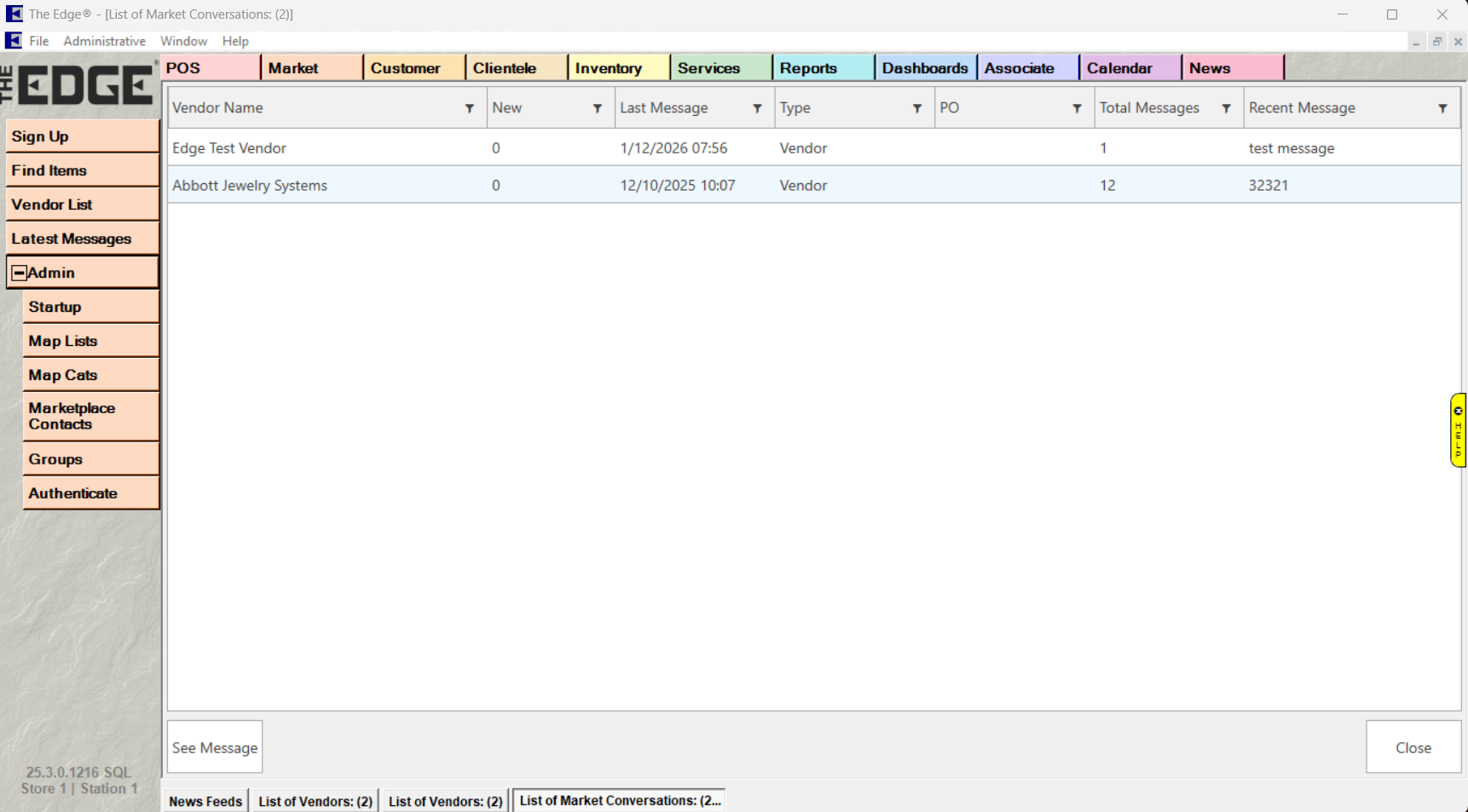
The columns and buttons you will see on the Latest Messages screen are:
| Vendor Name |
Lists all vendor names |
| New |
Lists how many new messages you have from each vendor |
| Last Message |
Lists the date and time of the last message |
| Type |
Lists the type of message for each vendor
- Vendor - a generic message to a vendor
- Purchase Order - Message related to a specific P.O.
|
| PO |
If the Type is Purchase Order, this will display the P.O. number |
| Total Messages |
Lists the total number of messages for each vendor message |
| Recent Messages |
Displays the beginning of the most recent message for each vendor. |
| See Message |
You can highlight a message and then click See Message to display the message |
| Close |
Click this to close the window. |