When you select a contact or are adding a new contact, you will see the following tabs:
Basic
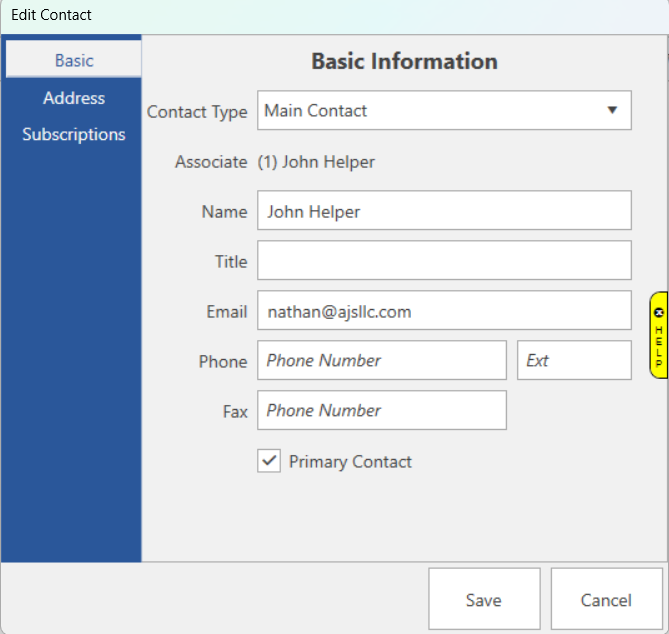
Fields and options on the Basic tab include:
| Contact Type |
Choose the contact type for this contact. The contact types are:
- Main Contact
- Credit
- Purchase Orders
- Returns
- Sales
- Special Orders
- Other
|
| Associate |
If this contact is an Associate, this will display their Associate number. |
| Name |
Contact's name. |
| Title |
Contact's title. |
| Email |
Contact's email. |
| Phone |
Contact's phone number (and extension) |
| Fax |
Contact's fax number |
| Primary Contact |
Check this box if this contact is the primary contact.
NOTE: You can only have 1 primary contact. |
Address
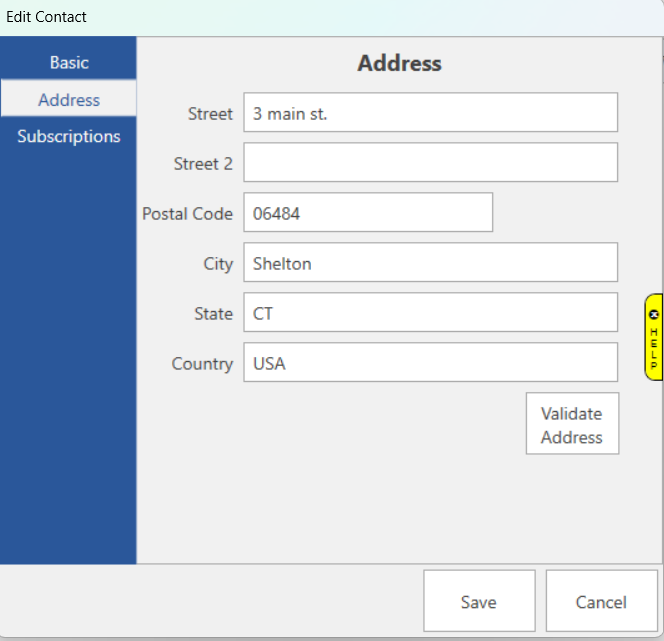
Fields and options on the Address tab include:
| Street |
Contact's street. |
| Street 2 |
Contact's 2nd street line. |
| Postal Code |
Contact's postal code. |
| City |
Contact's city. |
| State |
Contact's state. |
| Country |
Contact's country. |
| Validate Address |
When you click this button, the Edge will attempt to validate this address with the USPS. |
Subscriptions
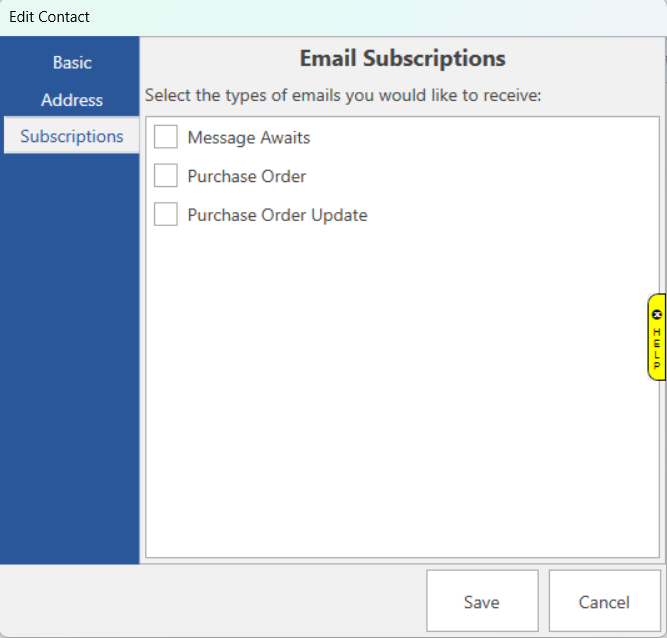
On the Subscriptions tab, you will choose which emails this contact will receive:
| Message Awaits |
This will email the contact when a new message is received from a vendor. |
| Purchase Order |
This will email the contact when a new purchase order is submitted. |
| Purchase Order Update |
This will email the contact when a purchase order is updated. |