Marketplace Contacts is where you will add your store contacts that will interact with the Marketplace vendors.
You can access this screen by going to Market > Admin > Marketplace Contacts
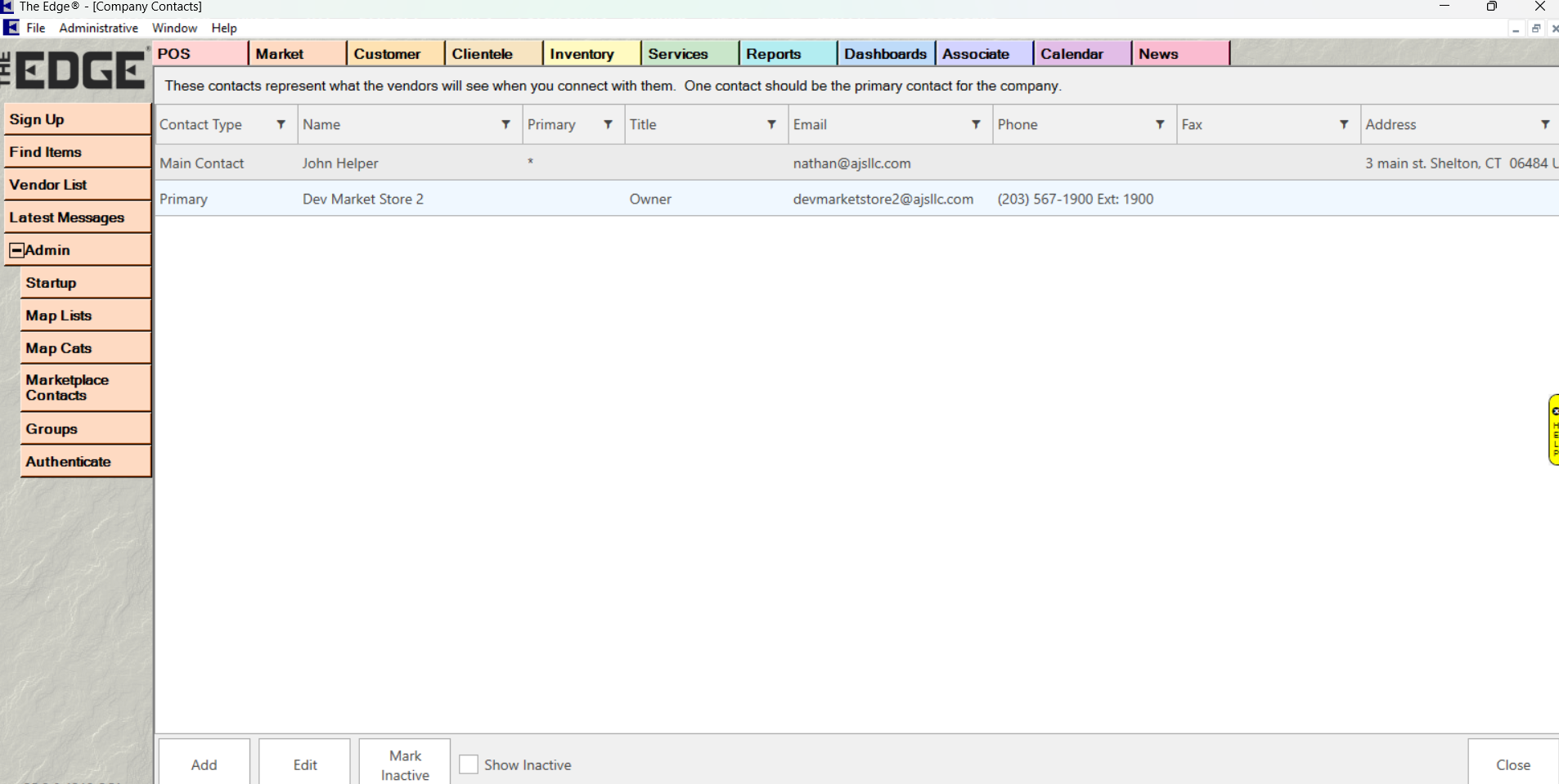
Fields and options on this screen are:
| Contact Type |
This column lists the Contact Type for each contact. |
| Name |
This column lists the Name of each contact. |
| Primary |
This column will show which contact is the Primary (*) |
| Title |
This column lists the Title of each contact. |
| Email |
This column lists the Email of each contact. |
| Phone |
This column lists the Phone of each contact. |
| Fax |
This column lists the Fax of each contact. |
| Address |
This column lists the Address of each contact. |
| Add |
Click this button to Add a new contact. |
| Edit |
Click this button to Edit the highlighted contact. |
| Mark Inactive |
Click this button to mark the highlighted contact as Inactive. |
| Show Inactive |
Check this box to Show Inactive contacts. |
| Close |
Click this button to Close the window. |